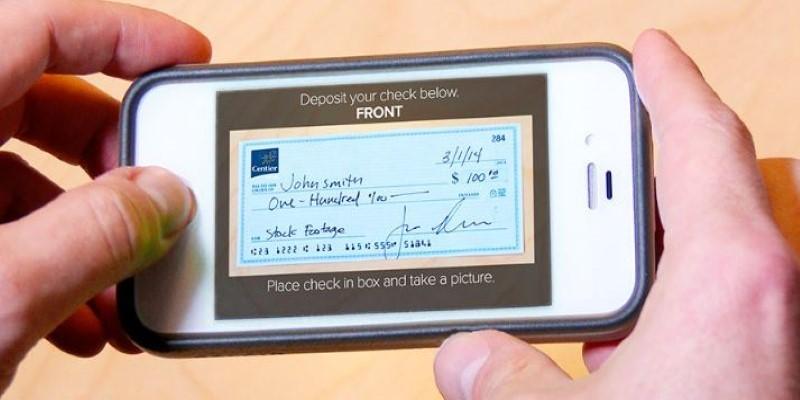
Mobile check deposit has quietly reshaped how people manage their everyday banking. No long lines, no branch hours, and no need to find a working ATM. All you need is a phone, a check, and a few minutes. Instead of making an extra stop during a busy day, you can take care of a check deposit from your kitchen table or while waiting for coffee. It’s easy to assume it’s just a simple photo upload, but the process includes a few key steps that matter. Knowing how it works can help you avoid mistakes and get your money faster.
What Is Mobile Check Deposit?
Mobile check deposit lets you deposit checks into your bank account using your smartphone or tablet. It works through your bank’s app, which guides you through taking pictures of the front and back of the check. Once uploaded, the check is digitally reviewed, and if all looks good, the funds are deposited—often within one business day.
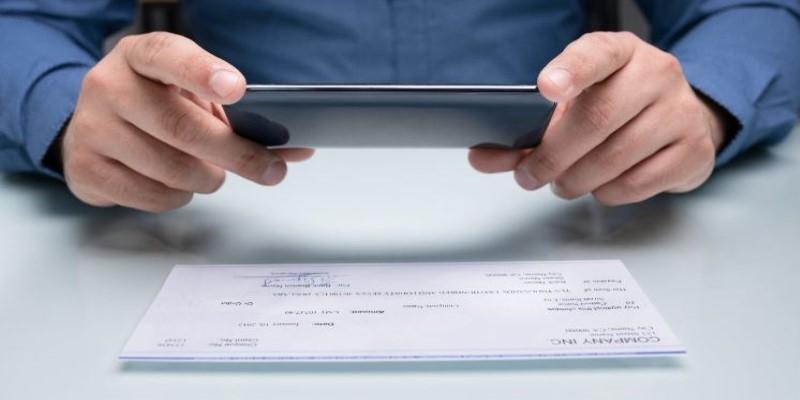
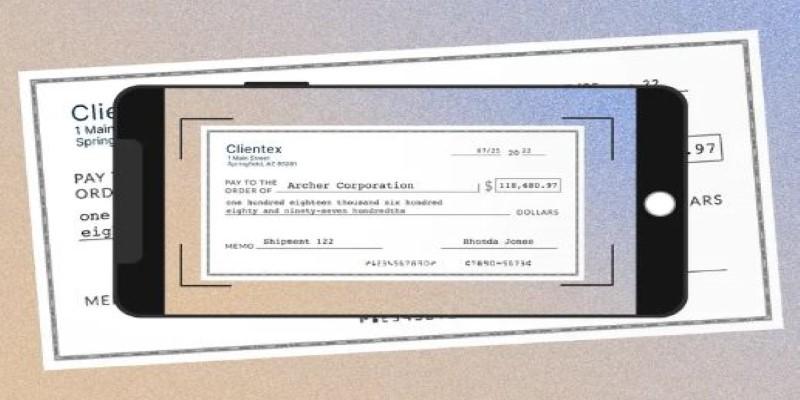
This service runs on a system called Remote Deposit Capture. It scans the printed information on the check and routes it through the banking system electronically. You’re essentially sending a digital version of the check directly to your bank.
It supports various types of checks: personal, payroll, government-issued, and even refund checks. Not all banks accept every type, but most major financial institutions cover the basics. The key requirement is that the check must be issued in your name and not already deposited elsewhere.
There are no extra tools or scanners needed. Just a decent phone camera, a working internet connection, and the bank’s app. Many people who start using this feature never go back to making in-person deposits. It’s quicker, it works from anywhere, and it skips the common banking bottlenecks.
How to Use Mobile Check Deposit the Right Way?
To use mobile check deposit, start by opening your bank's mobile app and signing in. Tap on the option that says "Deposit" or "Deposit Checks." Choose the account you want the funds to go into, then prepare your check.
The next step is endorsement. On the back of the check, sign your name and write “For mobile deposit only.” Some banks might also ask for your account number below the signature, so check their requirements before you begin.
Find a flat surface with good lighting—this helps the camera pick up the details on the check. Place the check on a plain background that contrasts with the check’s color, like a dark table or sheet of paper. The app will walk you through taking a photo of the front and back.
Make sure the entire check is visible and the image is sharp. If it’s blurry or cropped, the system may reject it. Once both sides are captured and confirmed, tap to submit the deposit. The app will usually show a message saying the deposit was received.
Hold on to the paper check for about two weeks. This gives the bank time to process the deposit and contact you if there’s any issue. After the deposit clears and the funds are available, you can shred the check.
Common Issues and How to Avoid Them?
There are a few things that can trip up a mobile check deposit. One of the biggest is unclear or incomplete images. If the app can’t read the numbers or details, the deposit might not go through. Always double-check the photo before submitting to make sure everything is easy to read.
Another issue is incorrect endorsement. If the back of the check isn’t signed correctly, or if the “For mobile deposit only” line is missing, the bank may delay the deposit or ask for resubmission. Endorsing the check properly is one of the most common steps people miss.
Be mindful of deposit limits. Banks often place daily or monthly caps on how much you can deposit through the app. These limits vary, so it helps to know what your bank allows—especially if you're depositing a large amount or multiple checks in a short time.
Deposits aren’t always instant. In most cases, the money shows up in your account within one business day, but the bank might hold the funds longer if the check is large, looks unusual, or if your account is new. The app will often give an estimated availability date after you finish the deposit.
Technical issues are another thing to watch for. A poor internet connection can interrupt the process and lead to failed submissions. If possible, use a stable Wi-Fi connection and avoid depositing checks while on the move or using mobile data in low-signal areas.
Safety and Trust: Is It Secure?
Security is often the first concern when using mobile check deposit, and banks know this. That’s why these apps are built with encrypted connections, biometric logins like fingerprint or face ID, and layers of security that monitor for unusual behavior.
The check images are processed within the app and are not typically stored on your device. That reduces the risk of someone accessing them later. Still, using your bank's official app—not a third-party one—is the safest choice.
Avoid depositing checks on public Wi-Fi networks. If your phone is ever lost or stolen, change your banking password right away and contact your bank to restrict app access. Many banks also offer features to remotely lock or disable app functions in case of theft or suspicious activity.
These precautions make mobile check deposit a secure option for managing your banking needs. Like anything digital, using basic security habits—strong passwords, app updates, and private networks—goes a long way toward protecting your information.
Conclusion
Mobile check deposit turns what used to be an extra errand into something you can finish in minutes. After using it a few times, it becomes a routine part of handling checks. Instead of visiting a branch or ATM, you just take a photo and submit it through your banking app. With proper lighting, a clear image, and the right endorsement, the process is smooth and fast. It’s a practical way to handle checks using just your phone—no lines, no hassle.